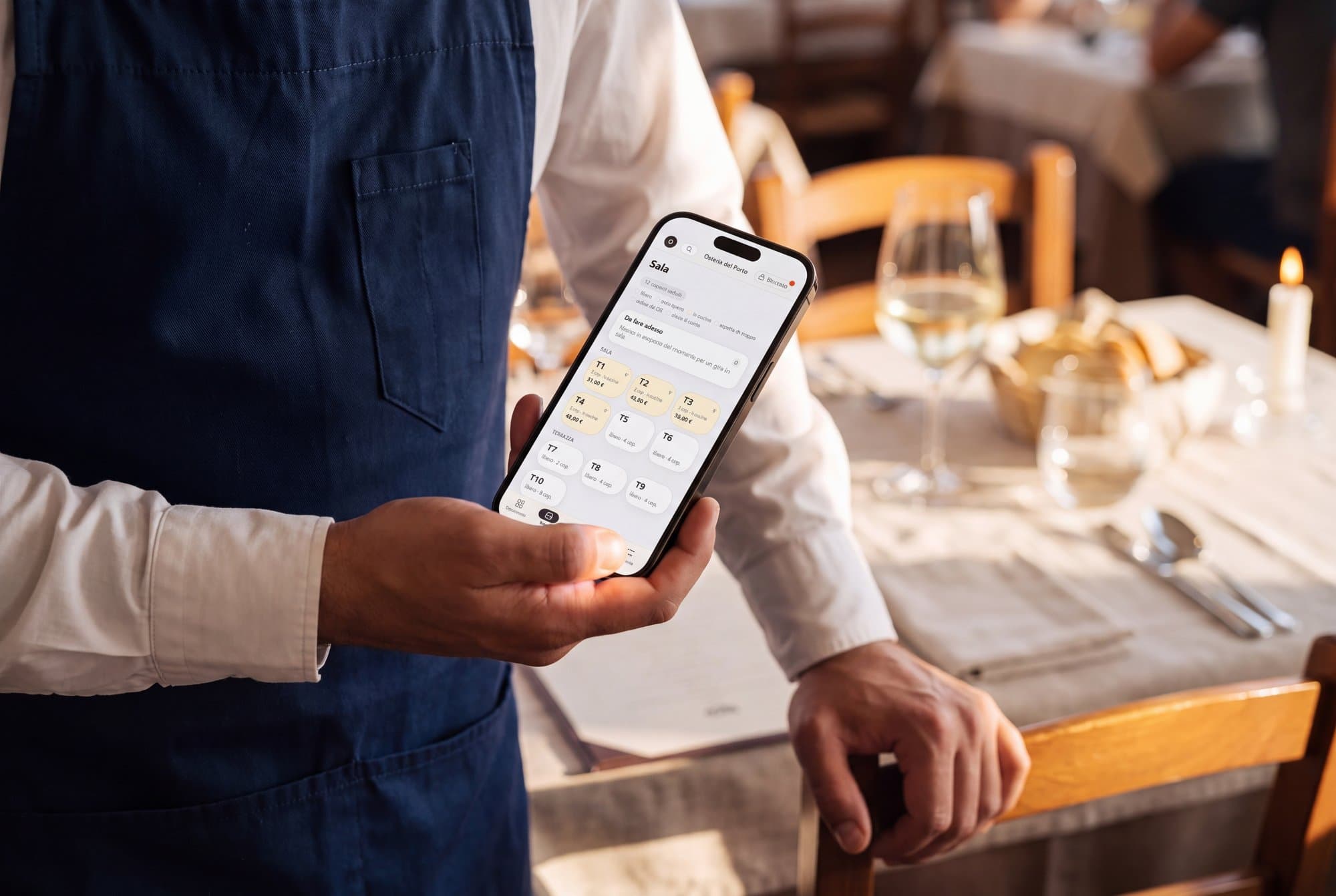
The back office for bars, takeaway, restaurants, B&Bs and hotels.
You manage the till with a fiscal printer, orders, stock, invoices and rooms. Each venue turns on only the modules it uses. A bar does not see the rooms, a B&B does not see the kitchen.
Connects to
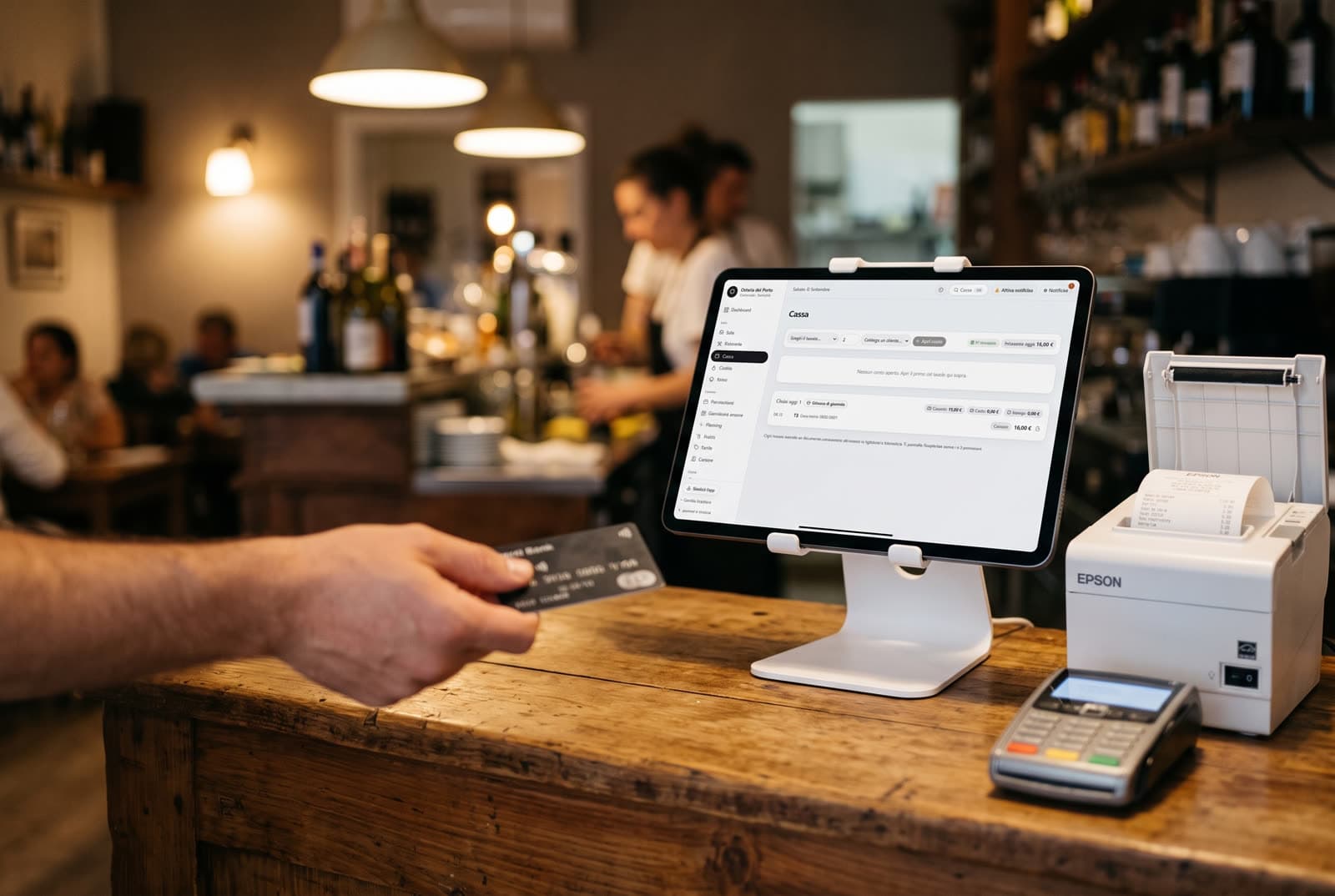
- Epson fiscal printer
- Stripe card reader
- Booking and Airbnb
- Police guest reports
- E-invoicing
SemLink has 15 modules.
Each venue turns on only the modules it uses. The ones that are off do not appear in the menu.
Pick a type of venue
Bar: 6 of 15 modules on.
6 of 15 modules on
Without a dining room, a kitchen and rooms.
For a bar, SemLink today offers the till with an Epson fiscal printer, the menu, stock and supplier invoices. Orders from a website or delivery apps are not there.
of 15 modules on
Without a dining room, a kitchen and rooms.
For a bar, SemLink today offers the till with an Epson fiscal printer, the menu, stock and supplier invoices. Orders from a website or delivery apps are not there.
Sales2/7
- Till and tax (on)Fiscal printer receipts, invoices, end of day.
- Menu and recipes (on)Dishes, prices, VAT, allergens and recipes.
- Floor and tables (off)Table map and orders from the phone.
- Kitchen and stations (off)A screen for kitchen, oven or bar.
- Takeaway (off)Orders with name and pickup time.
- Table QR (off)Phone orders, confirmed by the waiter.
- Table bookings (off)Bookings, waiting list and deposit.
Kitchen and accounts2/2
- Stock (on)Stock, batches and dish cost.
- Supplier invoices (on)XML invoices, due dates, accountant pack.
Accommodation0/3
- Rooms (off)Calendar, rates, bookings and housekeeping.
- Police reports and ISTAT (off)Police guest reports, ISTAT and tourist tax.
- Guests in house (off)Pre-check-in, chat and document scanner.
People and numbers2/3
- Customers and loyalty (off)Customer records, points and coupons.
- Numbers (on)Statistics, forecasts and the night diary.
- Shifts (on)Staff shifts, hours and cost.
Dashed: off, not shown. The data stays.
See the 15 modules
of 15 modules on
Without a dining room, a kitchen and rooms.
For a bar, SemLink today offers the till with an Epson fiscal printer, the menu, stock and supplier invoices. Orders from a website or delivery apps are not there.
Sales2/7
- Till and tax (on)Fiscal printer receipts, invoices, end of day.
- Menu and recipes (on)Dishes, prices, VAT, allergens and recipes.
- Floor and tables (off)Table map and orders from the phone.
- Kitchen and stations (off)A screen for kitchen, oven or bar.
- Takeaway (off)Orders with name and pickup time.
- Table QR (off)Phone orders, confirmed by the waiter.
- Table bookings (off)Bookings, waiting list and deposit.
Kitchen and accounts2/2
- Stock (on)Stock, batches and dish cost.
- Supplier invoices (on)XML invoices, due dates, accountant pack.
Accommodation0/3
- Rooms (off)Calendar, rates, bookings and housekeeping.
- Police reports and ISTAT (off)Police guest reports, ISTAT and tourist tax.
- Guests in house (off)Pre-check-in, chat and document scanner.
People and numbers2/3
- Customers and loyalty (off)Customer records, points and coupons.
- Numbers (on)Statistics, forecasts and the night diary.
- Shifts (on)Staff shifts, hours and cost.
Dashed: off, not shown. The data stays.
You start from a type of venue
Void Agency turns on the modules for your type of venue. Then they are changed one at a time.
What is off does not show
The menu, the module's own pages and the site links do not show it.
The data stays
When you turn the module back on, you find everything you had entered.
For now, Void Agency sets the modules from the venue settings.
Follow a sample order, from the table to the receipt.
Salumi del Montefeltro, Sardoncini scottadito, then Cappelletti and Controfiletto
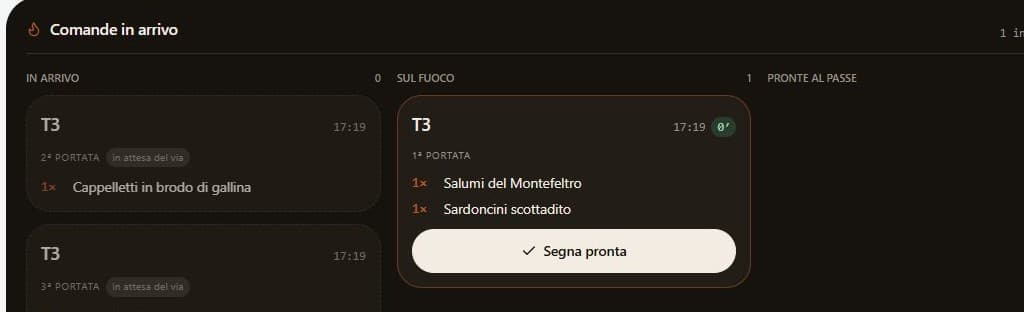
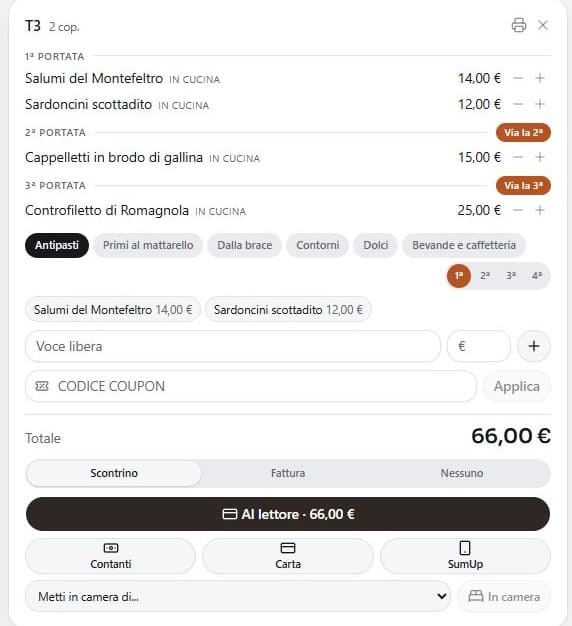
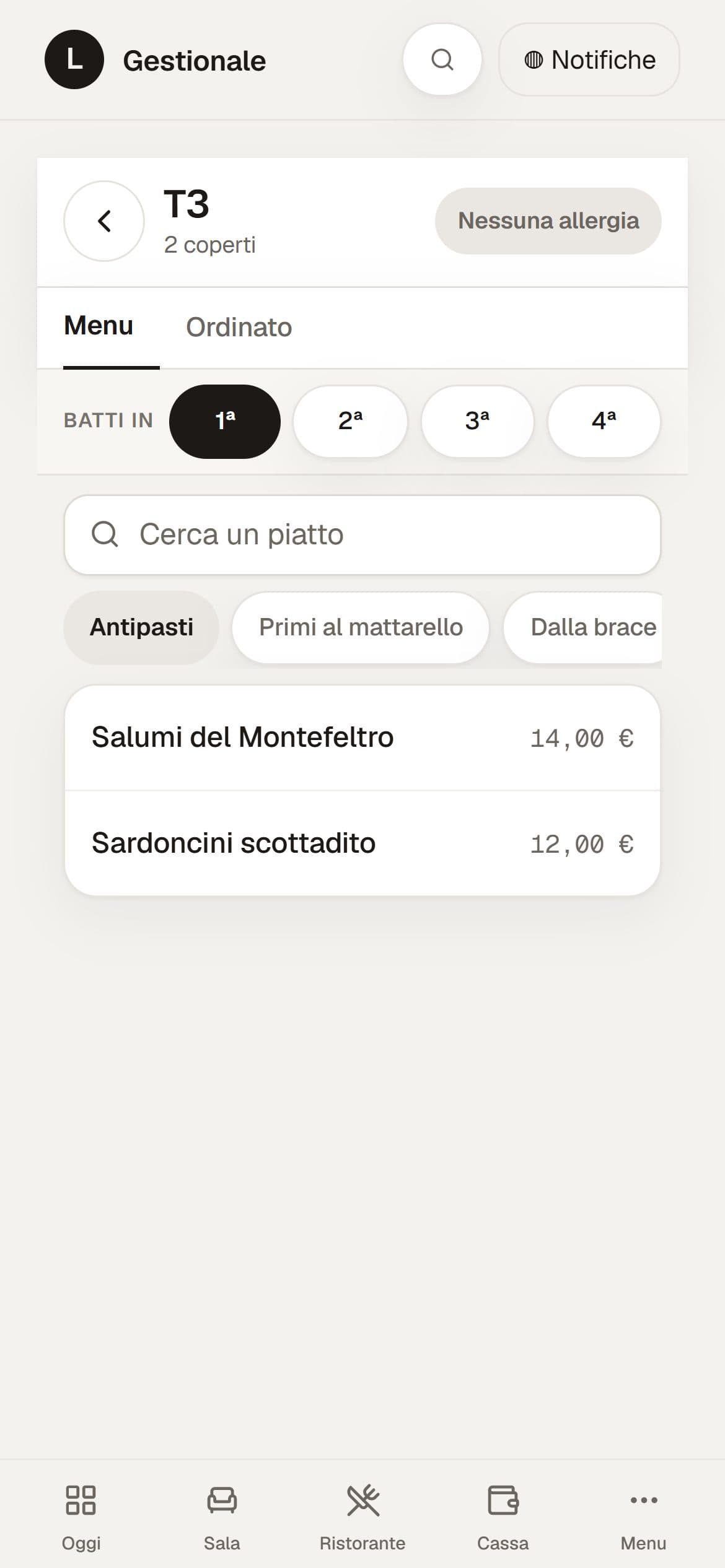
20:48The waiter enters the order on the phone: two starters, a first course and a main course.
The order is entered once, at the table or at the counter.
20:48
At the table
The waiter enters the order on the phone.
20:48Kitchen
It reaches the right department, with allergies in red.
22:10Till
It becomes the receipt from the fiscal printer.
23:50Closing
It ends up in the Z report and the cash drawer count.
07:30Next morning
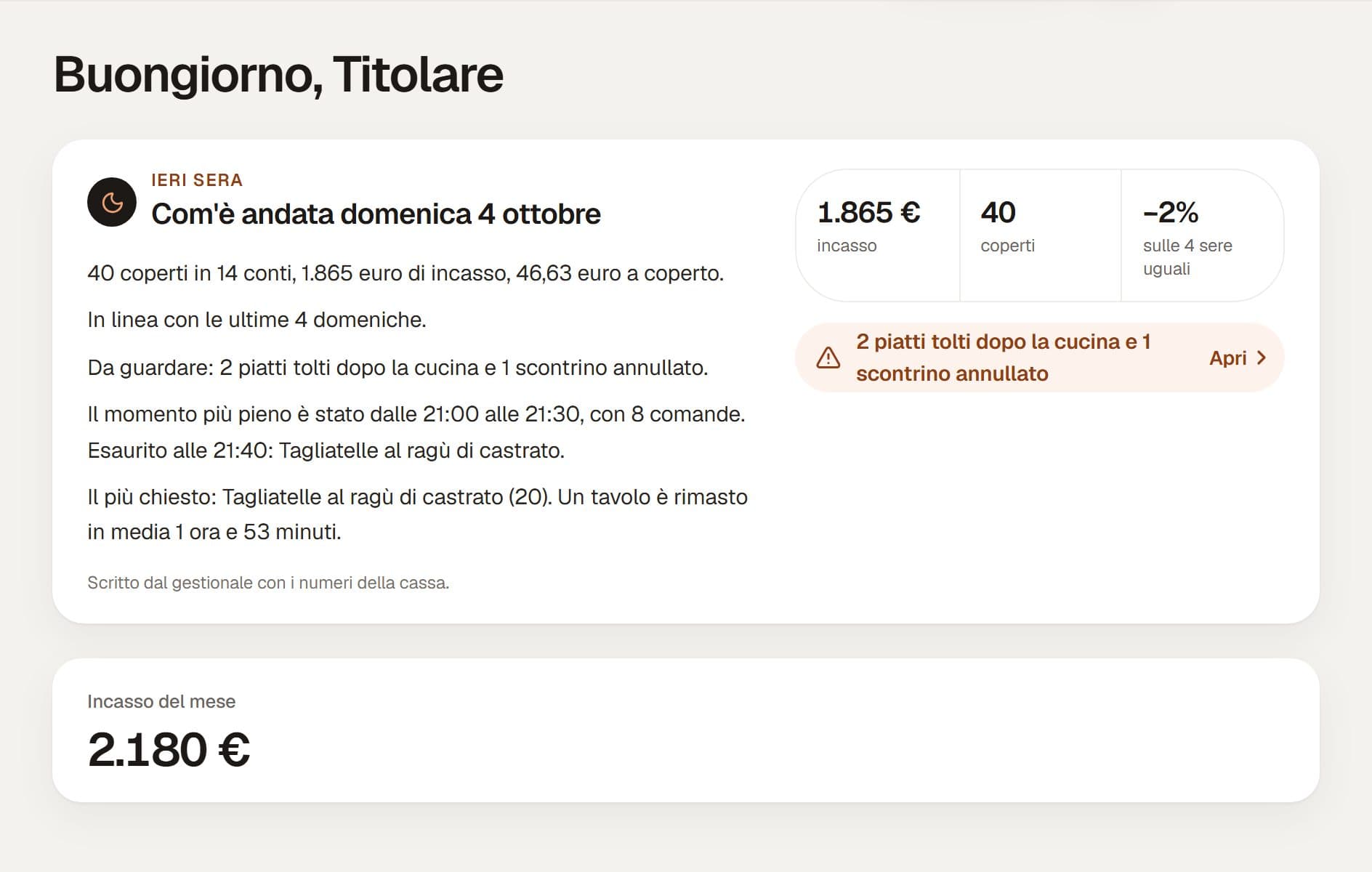
The owner finds it again in the night diary.
Dining room and rooms in the same back office.
Places with a restaurant and rooms usually use a cloud till and a separate program for the rooms. They invoice separately. With SemLink everything is in one back office.
Usually
Separate programs
One back office, one login.
Each department has its own screen,and everyone reads the same data.
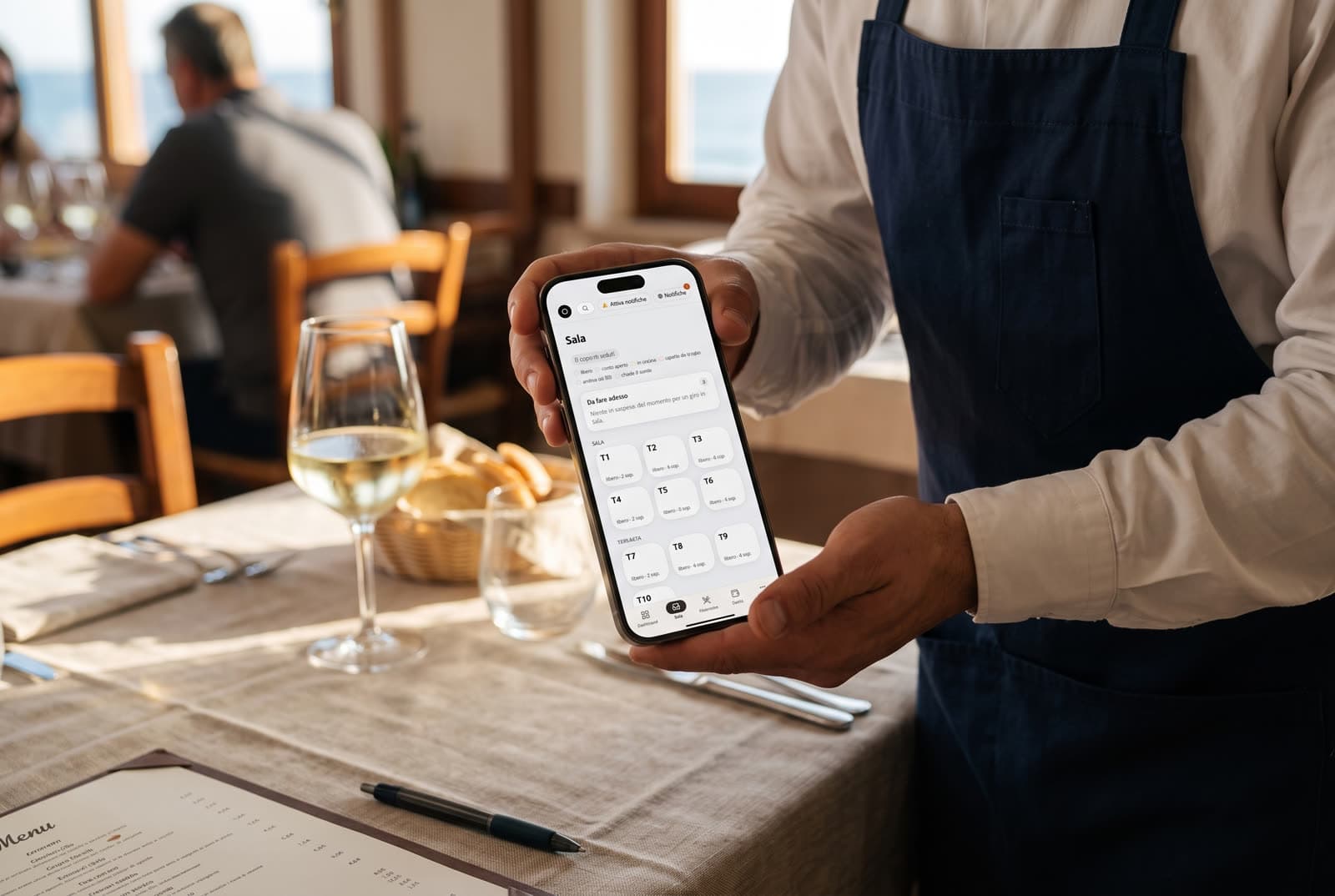
Floor
Orders at the table, even offline.
The video, 0:23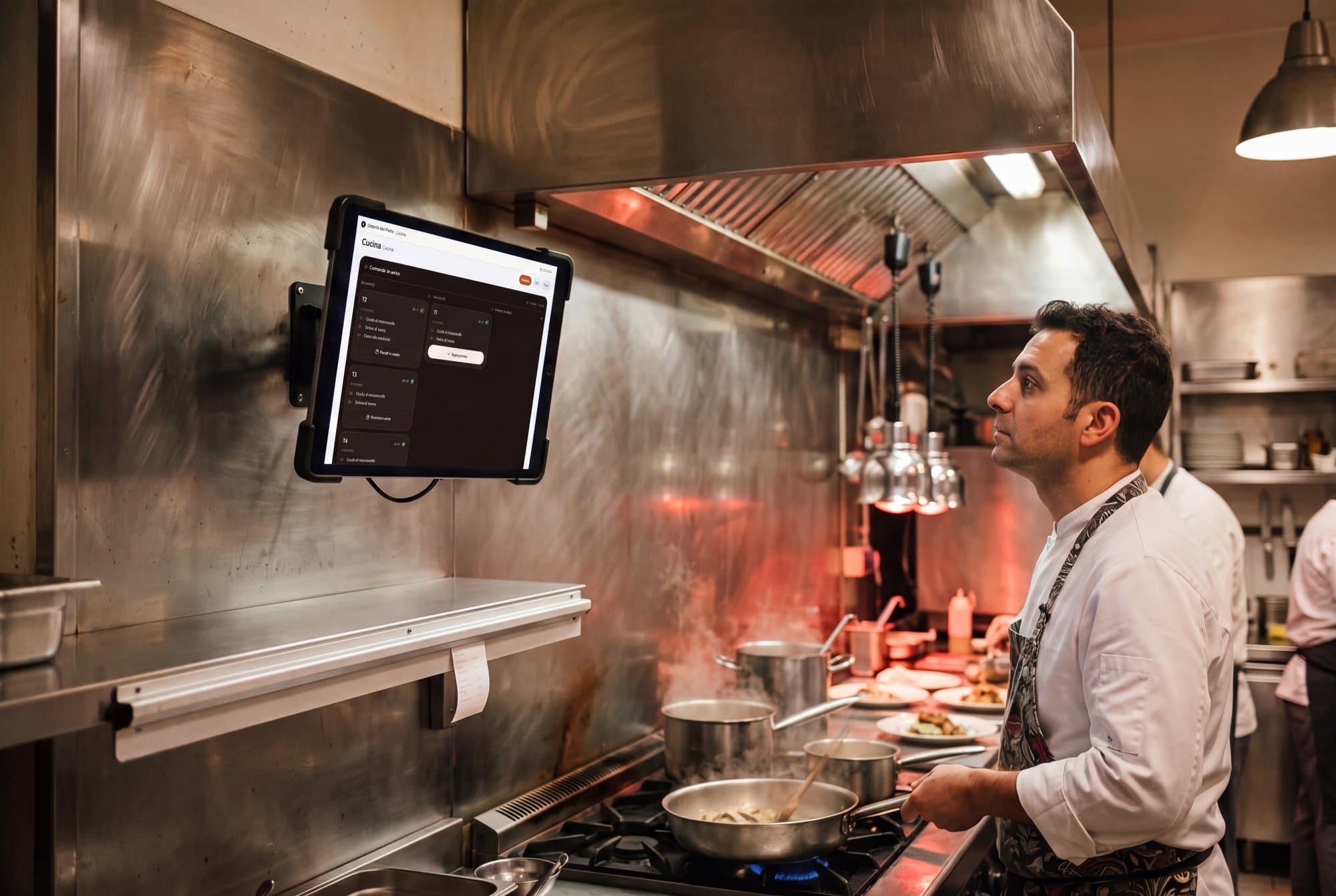
Kitchen
Orders in line, with the timer.
The video, 1:04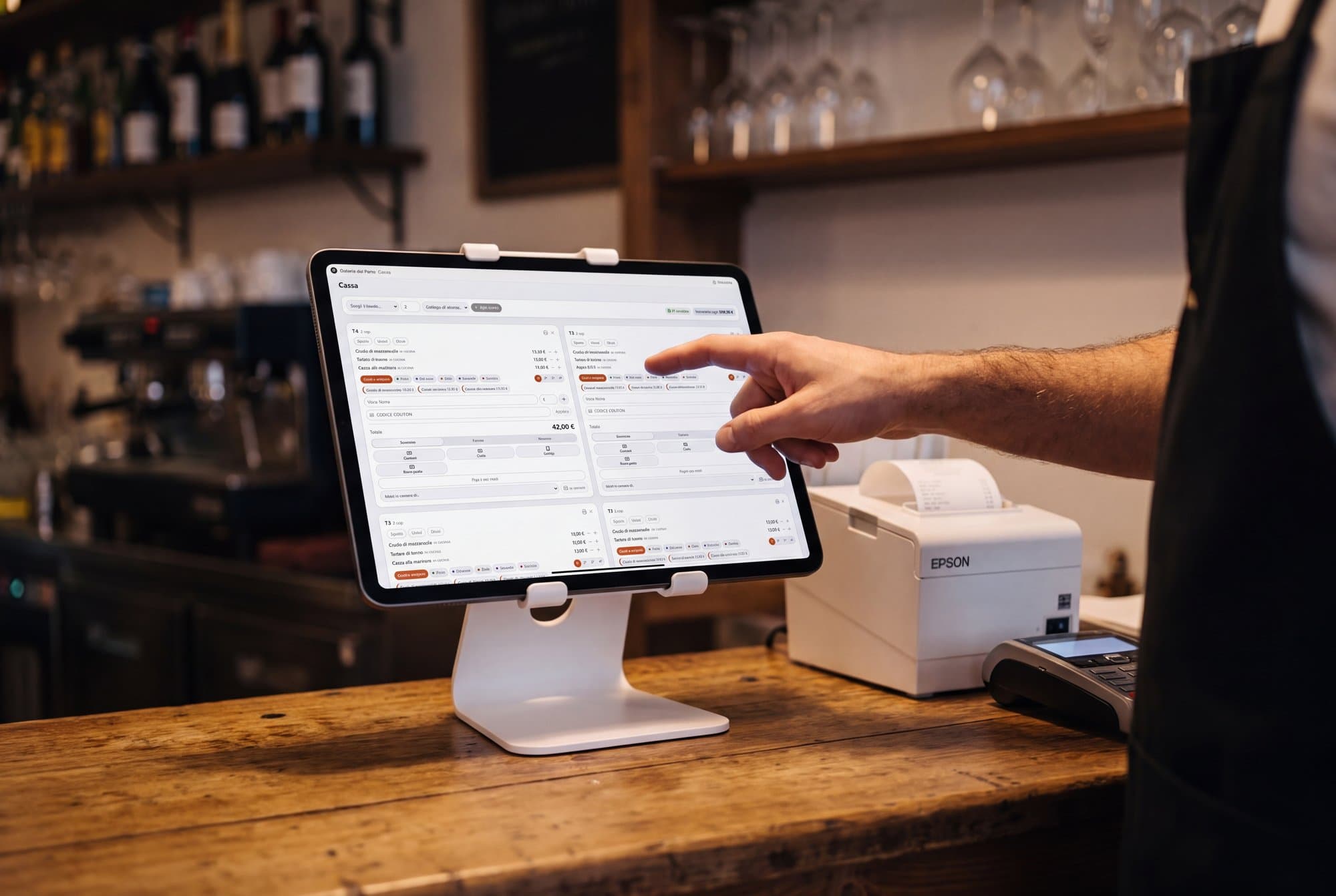
Till
Bill to the card reader and end of day.
The video, 0:37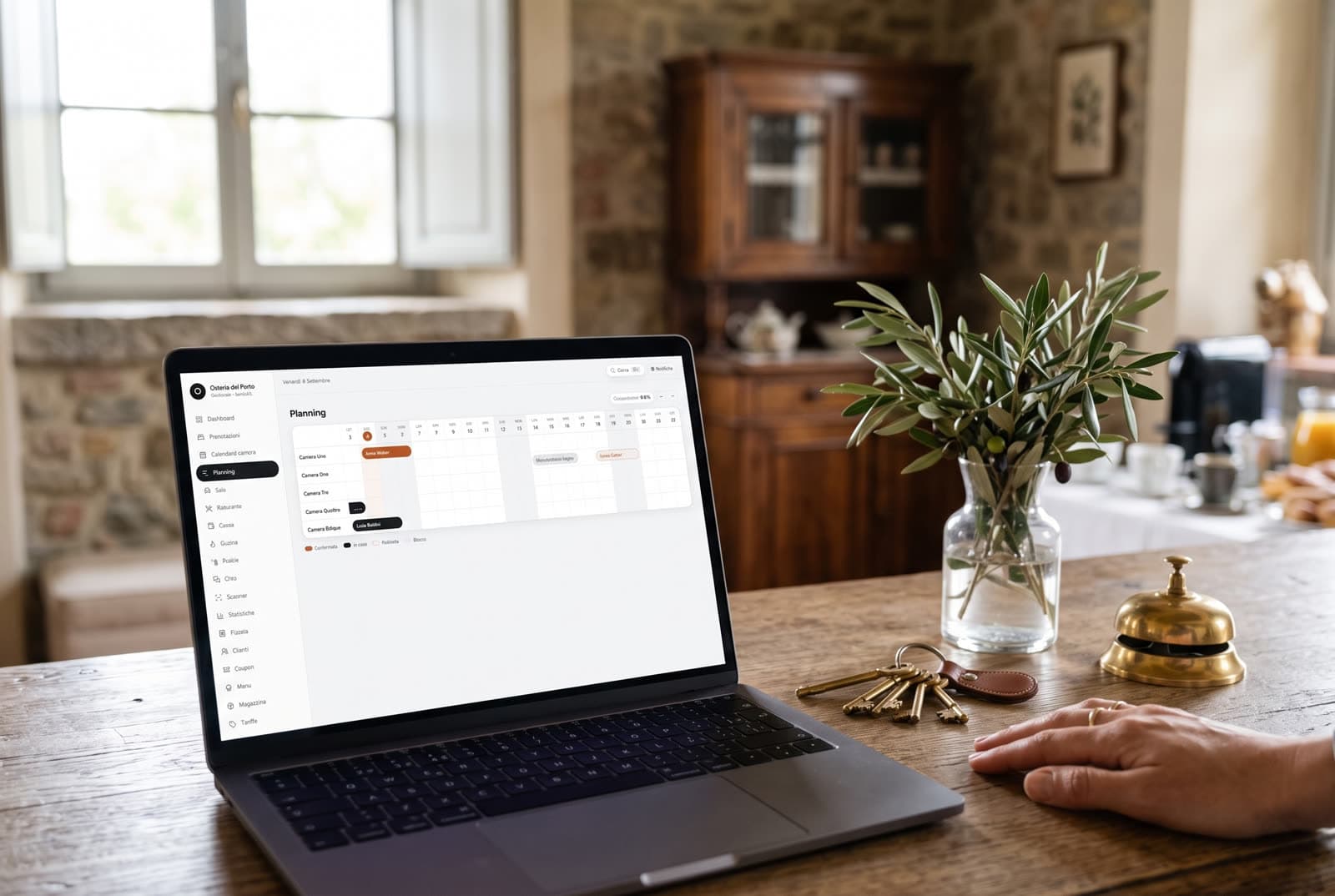
Rooms
Booking, Airbnb and police reports.
The video, 0:17
Owner
The night diary, every morning.
The video, 0:15
What's new.
October 2026
Supplier invoices
Upload the invoice XML: the back office reads it and proposes the lines. You confirm. The stock is loaded once and the due dates go into the to-pay list. On Monday mornings, if something is due, you get an email.
The accountant's package
The accountant receives a read-only link, valid for 7 to 30 days. From there they download the ZIP of the month with the summary and the original invoices.
Customer invoices
The numbering has no gaps and every invoice is checked before it is sent to the SDI. To reverse one, the credit note repeats the whole invoice, line by line.
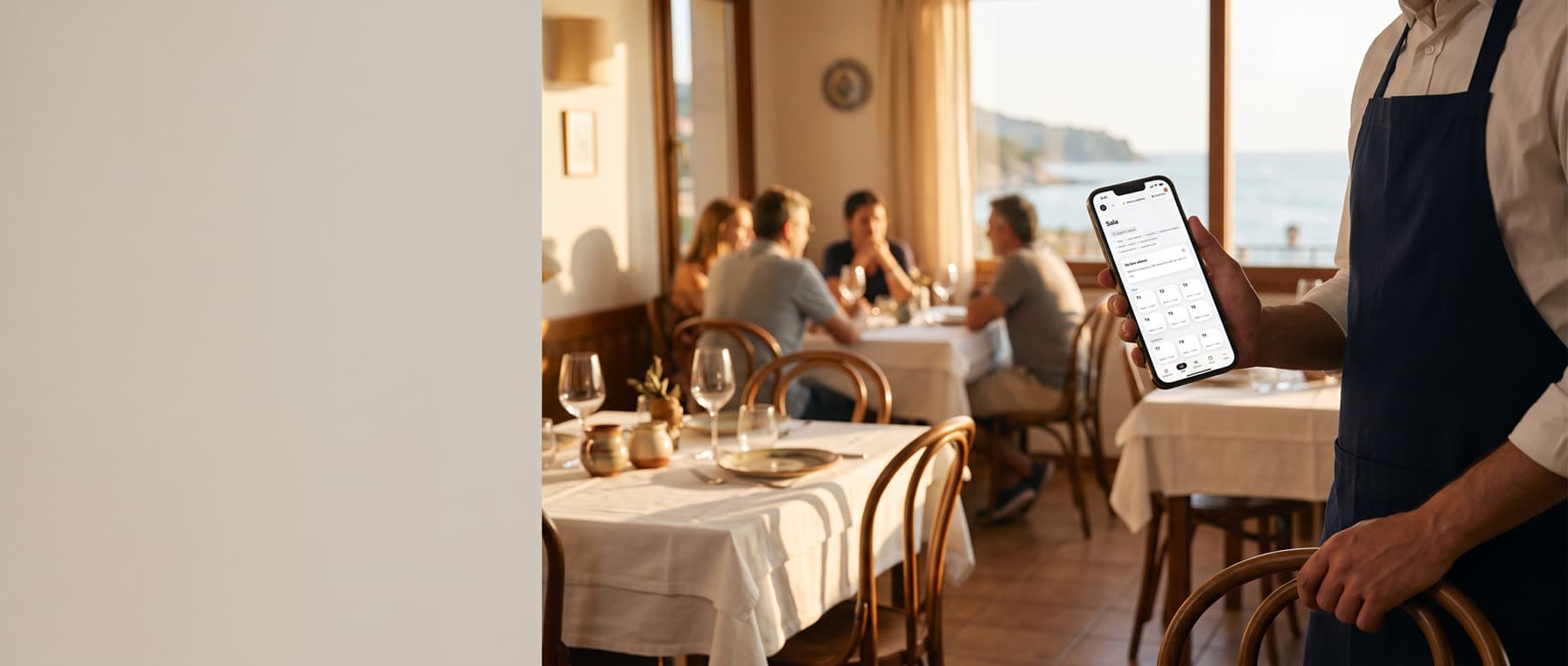
It works on phone, tablet and computer.
The phone for the waiters, the tablet in the kitchen, the till at the counter, the computer at reception.
If the connection drops, you keep working.
Press “Try it: drop the connection” on the Support screen and watch what changes.
- Orders stay on the phone until the network is back
- We see the venue's status before you call
- We connect remotely only when you open access
- The fiscal printer rings up receipts even without internet
- Fiscal printer
- Reachable
- Orders waiting
- None
- Bridge on for
- 6 hours
All normal.
No port is opened on your network.
Example of the Support screen, with test numbers.
Pricing
One monthly fee per property, VAT excluded. Onboarding is paid once. Printer, tablet and reader not included.
Starter
79 €
per month, VAT excluded · or 790 € a year
Onboarding 290 € once
Floor, kitchen, till with fiscal printer, menu, table bookings.
Training includedOnboarding on a video call, a guide in every section, short videos.
Support includedVenue status always visible. Remote support the same day, Monday to Saturday.
Pro
With rooms149 €
per month, VAT excluded · or 1,490 € a year
Onboarding 390 € once
Starter plus rooms, electronic invoicing, card reader, police reports, stock, Cash flow and Forecasts.
Training includedLike Starter, plus an online lesson for every role and the tutorials to download.
Support includedLike Starter, plus the phone during service hours, Saturday night included.
Enterprise
from 249 €
per month per property, from two properties up · yearly on quote
On-site onboarding included
Several properties, custom website, dedicated support.
Training includedOn-site training, with your staff, on your shifts.
Support includedDedicated support seven days a week, and a technician on site for hardware faults.
Yearly, two months are free: 790 € Starter, 1,490 € Pro. Fiscal printer, tablet and reader are bought separately, or you use the ones you have.
Onboarding is half a day on a video call. Tables, menu, rooms and staff are entered. The fiscal printer is connected and the first test bill is closed.
Frequently asked questions
Is it only for restaurants and hotels?
No. SemLink is for bars, takeaway-only venues, B&Bs, restaurants, restaurants with takeaway, and hotels or inns with a restaurant. Each type starts with its own modules. A bar starts without a dining room, a kitchen and rooms. A B&B starts without a dining room and a kitchen. What is off does not show, and the data stays. For now, Void Agency sets the modules. Takeaway orders are keyed in by the staff: customers do not order from the site.
Does it work with my fiscal printer?
With Epson FP printers (XML fiscal protocol), through the SemLink bridge: a small PC on the venue's network. We make the first connection to a fiscal printer already in service together with your technician. For other brands, write to us.
What if the internet goes down?
Waiters' orders are still taken and go out when the network is back. Without a connection, the receipt is rung up directly on the fiscal printer, which also works without internet. For the till tablet we recommend a backup SIM.
Do I need to rebuild my website?
No. The back office lives on app.semlink.app. The website with booking, menu and shop, if you want it, we build on your domain.
Who sees my data?
The people working in your property, with the role you give them. Each property is separated in the database. CSV export whenever you want.
How long to get started?
One afternoon. You enter what you have: the menu and, where there are any, tables and rooms. Staff sign in by scanning a QR code with their phone. We connect the fiscal printer together with you and your accountant.
Can I cancel?
Whenever you want: just write to us. No minimum term, the data stays downloadable.
Do the printouts show my venue's name or yours?
Your venue's name. Receipts, pre-bill, end of day, welcome letter, stay receipt, emails and calendars carry the venue's name, tagline and city. You write the welcome letter yourselves, in Italian, English and German, from the settings.
Let's look at it on your venue.
A demo on a video call, with no commitment.
Half an hour on your case. We reply within one working day.
Already have access? app.semlink.app